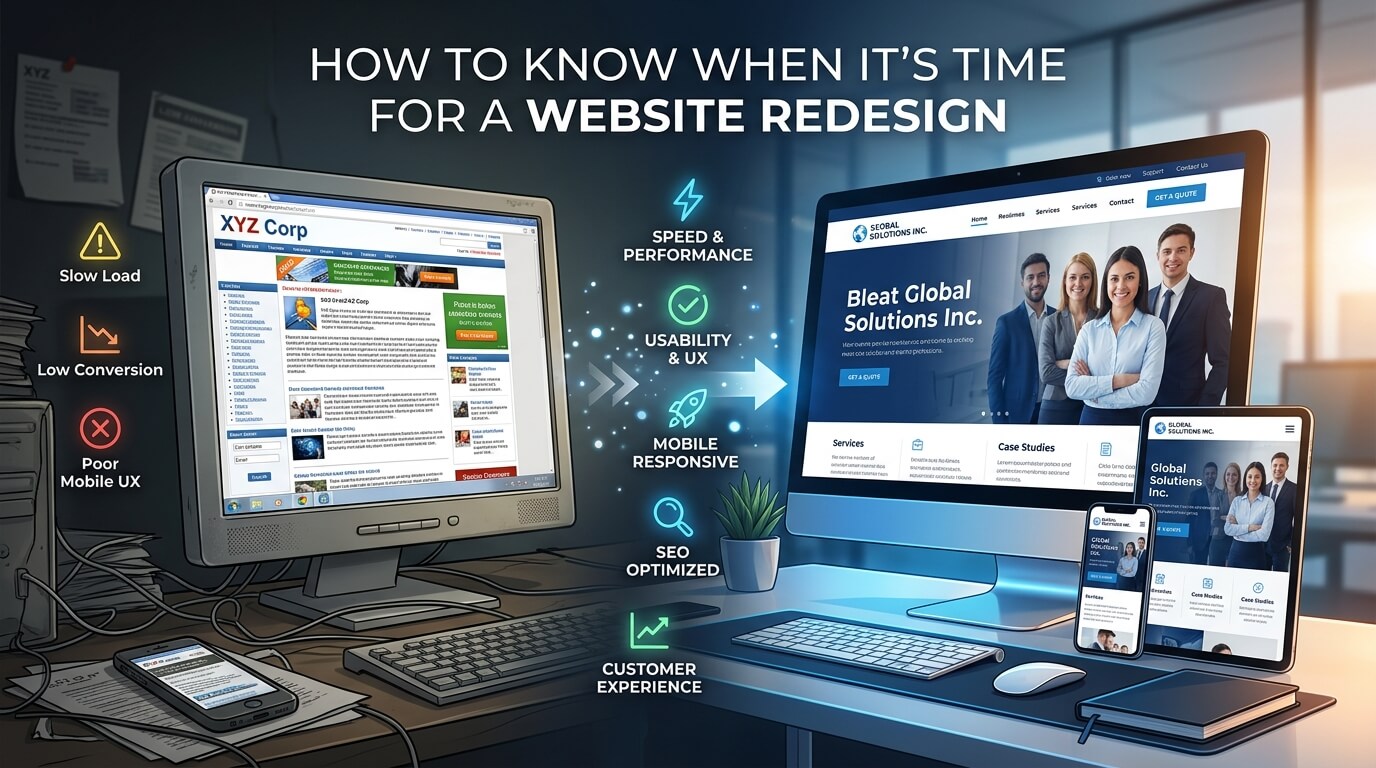
A website is often the first place potential customers interact with a business. Before they speak to a salesperson, visit a physical location, send an inquiry, or make a purchase, they may visit the company website to decide whether the business looks trustworthy, professional, and relevant. That means a website cannot simply be attractive when it is launched. It needs to continue meeting changing customer expectations, technological standards, business objectives, and search requirements.
Many businesses, however, keep using the same website for years because it still technically works. The pages load, the contact form functions, and the domain is active, so there may not seem to be an urgent reason to make changes. But a website can be outdated long before it actually stops working. Poor navigation, slow performance, weak mobile usability, outdated branding, declining conversions, and difficult content management can all indicate that the website has reached the point where a redesign is necessary.
A redesign is not simply about replacing colors, changing fonts, or giving the homepage a modern appearance. A successful redesign looks at the entire digital experience and asks whether the website is helping the business achieve its goals. It can improve usability, strengthen credibility, support SEO, simplify content management, and make it easier for visitors to take meaningful action.
Understanding the warning signs can help businesses redesign at the right time rather than waiting until an outdated website becomes a serious obstacle.
Your Website Looks Outdated Compared With Your Industry
One of the clearest signs that a redesign may be necessary is an outdated visual appearance. Website design trends naturally evolve, and users have become accustomed to cleaner layouts, better spacing, stronger visual hierarchy, intuitive navigation, responsive interfaces, and more polished digital experiences.
An older website can immediately make a company appear less established, even when the business itself is successful. Visitors may associate an old-fashioned design with outdated services, poor technology, or a lack of attention to detail. This is particularly important for businesses operating in competitive industries where customers can easily compare several providers online.
A redesign does not mean following every temporary design trend. In fact, constantly chasing trends can make a website look dated again within a short period. The goal should be to create a professional, flexible design that reflects the brand while prioritizing clarity and usability.
Your Branding Has Changed
Sometimes the website is outdated because the business itself has changed. A company may have introduced new services, changed its target audience, updated its logo, adopted new brand colors, or repositioned itself in the market.
When the website still reflects the old identity, customers receive mixed signals. The website should communicate the same brand personality and positioning that customers encounter across social media, advertising, email campaigns, packaging, and other business materials.
A redesign can bring these elements together and create a more consistent digital identity.
The Website Is Difficult to Use on Mobile Devices
Mobile usability is no longer an optional feature. People routinely browse websites from smartphones and tablets, and a website that works well only on a desktop can create an immediate barrier.
A responsive website should adapt its layout, text, images, buttons, menus, and other elements to different screen sizes. Google also emphasizes responsive layouts and appropriate behavior across display sizes in its developer guidance.
If visitors have to zoom in to read text, scroll sideways, struggle with menus, or repeatedly tap tiny buttons, the website is creating unnecessary friction.
Mobile Problems Can Affect More Than Appearance
Mobile problems are not limited to aesthetics. They can influence how easily visitors find information and complete important actions. A potential customer who cannot quickly find a phone number, service description, product detail, booking option, or contact form may simply leave.
A redesign should therefore evaluate the complete mobile journey rather than merely shrinking the desktop version. Navigation, page hierarchy, forms, calls to action, images, and content should all be considered from the perspective of someone using a smaller screen.
Your Website Takes Too Long to Load
Website speed is another major warning sign. Visitors generally expect pages to respond quickly, and slow websites can create frustration before users even see the content.
Large images, outdated plugins, excessive scripts, inefficient code, poor hosting, unnecessary animations, and poorly optimized media can all contribute to performance problems. If a website has accumulated technical additions over many years, fixing individual issues may eventually become less efficient than rebuilding the underlying experience.
A redesign provides an opportunity to review the website’s technical foundation rather than continuously adding patches to an aging system.
Performance Should Be Treated as Part of User Experience
Speed should not be viewed as a purely technical concern. It directly affects the way people experience a website. A beautifully designed homepage does not provide much value if visitors have to wait before they can interact with it.
During a redesign, businesses should consider image optimization, efficient code, hosting, caching, content delivery, responsive media, and unnecessary third-party scripts. The objective should be a website that feels fast and reliable rather than one that simply looks modern.
Your Website Is Not Generating Enough Leads or Sales
A website can receive visitors without producing meaningful business results. If traffic remains relatively stable but inquiries, purchases, bookings, registrations, or other conversions continue to decline, the website deserves closer examination.
The problem may not always be the design itself. Pricing, competition, market conditions, targeting, and messaging can also affect conversions. However, poor user experience can make a significant difference.
Visitors should quickly understand what the business offers, who it serves, why it is different, and what they should do next. If the website forces people to search for basic information or presents too many competing choices, conversions can suffer.
Your Calls to Action Are Weak or Unclear
A good website guides visitors toward appropriate next steps. Depending on the business, that could mean requesting a quote, scheduling an appointment, purchasing a product, downloading a resource, subscribing to an email list, or contacting the company.
If important actions are buried inside paragraphs, difficult to locate, or presented inconsistently, a redesign may be useful. Strong calls to action should feel natural within the customer journey rather than appearing as random buttons scattered across a page.
The redesign process should therefore examine what the business wants visitors to do and how easily users can complete those actions.
Your Website Navigation Is Confusing
Navigation problems are another strong indication that a website needs attention. As websites grow, businesses often add pages without reconsidering the overall structure. The result can be an overcrowded navigation menu, duplicated pages, unclear categories, or important information buried several clicks deep.
A website should make it relatively easy for visitors to understand where they are and where they can go next.
Too Much Content Can Be a Problem
Having plenty of content is not automatically beneficial. If visitors encounter enormous blocks of text, repetitive information, vague headings, or poorly organized pages, they may struggle to find what matters.
Usability research has long emphasized the importance of context and scannability, particularly for people with disabilities. Complex layouts can make information harder to understand and navigate when users rely on assistive technologies or alternative ways of interacting with a page.
A redesign can provide an opportunity to audit the content and reorganize it around user needs.
Your Website No Longer Reflects Your Business
Businesses evolve. A company that started with three services may eventually offer ten. A local business may expand nationally. A small consultancy may become a full-service agency. An ecommerce store may dramatically increase its product range.
If the website still communicates what the business looked like several years ago, it can create confusion.
The homepage should accurately communicate the current value proposition. Service pages should describe current offerings. Contact information should be correct. Team information, case studies, testimonials, pricing information, and company descriptions should reflect the current organization.
A redesign is particularly valuable when business growth has made the existing website structure feel restrictive.
Your Website Is Difficult to Update
A website should not only be easy for customers to use. It should also be manageable for the people responsible for maintaining it.
If employees have to contact a developer every time they need to change a sentence, upload an image, add a blog post, update a service, or modify a page, the existing system may be holding the business back.
An outdated CMS or heavily customized website can become difficult and expensive to maintain. A redesign can introduce a more practical content management system and a cleaner backend structure.
Maintenance Has Become Expensive
Repeated repairs can eventually become more expensive than modernization. If the business is constantly paying for plugin conflicts, broken layouts, security issues, compatibility problems, or technical fixes, those costs should be evaluated alongside the cost of a redesign.
The question should not simply be, “Can we keep fixing this website?” A better question is, “Is continuing to fix this website the most efficient way to support the business?”
Your Search Visibility Is Declining
Search performance can provide another indication that a website needs attention. A decline in organic traffic, impressions, rankings, or qualified search visitors does not automatically mean that a redesign is required. SEO depends on many factors, including content quality, competition, technical health, search intent, links, and algorithm changes.
However, persistent technical and structural problems can make SEO more difficult.
A redesign should therefore include an SEO review rather than treating search optimization as an afterthought. Google recommends using tools such as Search Console and analytics data together to better understand how people discover and experience a website.
Your Website Structure Is Outdated
Older websites often contain unnecessary pages, duplicated content, inconsistent URLs, missing metadata, poor internal linking, or unclear page hierarchies.
During a redesign, the business can review which pages should remain, which should be consolidated, which need better content, and which should be removed. URL changes require particular care because changing page addresses without a proper migration strategy can cause avoidable search and user-experience problems.
Google recommends preparing URL mappings, implementing appropriate permanent redirects, submitting updated sitemaps, and monitoring traffic when URLs change.
Your Website Has Accessibility Problems
Accessibility should be considered an essential part of modern website design. People interact with websites in different ways, and design decisions that seem minor to one user can create major barriers for another.
Problems can include poor color contrast, missing alternative text, unclear headings, inaccessible forms, keyboard-navigation issues, confusing layouts, or controls that are difficult to understand with assistive technologies.
A redesign gives businesses an opportunity to address these issues systematically rather than trying to correct them individually after launch.
Accessibility also benefits many users who do not identify as having a disability. Clear navigation, readable text, descriptive links, understandable forms, and logical page structures generally create a better experience for everyone.
Your Website Has Too Many Technical Problems
A website that frequently experiences broken links, error messages, malfunctioning forms, security warnings, plugin conflicts, or inconsistent layouts should not be ignored.
Small technical problems can accumulate. One broken form might mean lost leads. A broken checkout can mean lost sales. A security issue can damage customer trust. A malfunctioning menu can prevent visitors from reaching important pages.
When technical problems become recurring rather than occasional, it may indicate that the site’s underlying architecture needs to be reconsidered.
Your Website Has Poor Conversion Data
Analytics can reveal problems that are not immediately visible during casual browsing.
For example, visitors may be entering the homepage but leaving quickly. They may be reaching service pages without contacting the business. They may abandon forms halfway through completion. They may be repeatedly visiting certain pages while ignoring others.
These patterns can help identify where the customer journey is breaking down.
Use Data Before Redesigning
A redesign should not be based entirely on personal preferences. Before changing the site, businesses should examine available analytics, search data, conversion information, customer feedback, and usability observations.
The goal is to understand what is currently working as well as what is failing. A page with strong organic traffic, for example, should not automatically be removed simply because it looks old. Its value should be understood before structural changes are made.
A data-informed redesign can preserve successful elements while improving weak areas.
Your Competitors Offer a Better Online Experience
Customers rarely evaluate a website in isolation. They may visit several competing websites before deciding which business deserves their attention.
If competitors provide clearer service information, better mobile experiences, stronger visuals, easier navigation, faster pages, or simpler inquiry processes, an outdated website can become a competitive disadvantage.
This does not mean copying competitors. Instead, businesses should identify what customers now expect from websites within their industry.
A redesign should create a distinctive experience while meeting modern usability standards.
How to Decide Whether You Need a Redesign
Not every website problem requires a complete rebuild. Sometimes a content update, technical repair, SEO improvement, or visual refresh is enough. The right decision depends on the severity and number of problems.
| Website Issue | Minor Update | Website Refresh | Full Redesign |
| Outdated colors or fonts | Suitable | Suitable | Sometimes |
| A few outdated pages | Suitable | Suitable | Not usually |
| Poor mobile experience | Limited | Suitable | Often |
| Confusing navigation | Limited | Suitable | Often |
| Major conversion problems | Limited | Suitable | Often |
| Slow performance | Suitable | Suitable | Often |
| Outdated CMS | Not usually | Sometimes | Often |
| Major branding changes | Limited | Suitable | Often |
| Serious technical problems | Limited | Sometimes | Often |
| Completely outdated structure | Not suitable | Limited | Recommended |
The most important factor is not the age of the website alone. A five-year-old website may still perform well, while a two-year-old website can already have serious usability or technical problems. The decision should be based on performance, user needs, business goals, and the condition of the site’s foundation.
How Often Should a Website Be Redesigned?
There is no universal redesign schedule. Some businesses may need significant changes every few years, while others can maintain a strong website for much longer through continuous improvements.
Instead of treating redesign as a calendar event, businesses should regularly evaluate their websites.
A periodic review can examine design, mobile experience, speed, accessibility, content, SEO, security, conversions, and analytics. If the website continues to meet business and user needs, a full redesign may not be necessary.
This approach is generally more practical than waiting until a website becomes severely outdated and then attempting to replace everything at once.
What to Do Before Starting a Website Redesign
A successful redesign begins before a designer opens a design application. The business should first establish why the redesign is happening and what it needs to accomplish.
The existing website should be audited for important pages, traffic sources, conversions, search visibility, technical problems, and customer journeys. Valuable content should be identified so it is not accidentally removed during the rebuild.
The new website should also have clear objectives. Those objectives might include increasing qualified leads, improving ecommerce sales, reducing support inquiries, strengthening brand credibility, improving mobile usability, or making content easier to manage.
It is also important to plan the technical migration carefully. If URLs, domains, hosting, CMS platforms, or page structures are changing, these changes should be mapped and tested before launch. Google recommends thoroughly testing a new site, mapping old URLs to their new destinations, implementing redirects, and monitoring the site after migration.
A Redesign Should Improve More Than Appearance
One of the biggest mistakes businesses make is treating redesign as a visual project only.
A new color palette and attractive homepage can make a website look better, but they do not automatically solve poor navigation, weak content, slow loading, inaccessible forms, confusing customer journeys, or declining conversions.
A strong redesign brings design, content, technology, SEO, accessibility, and business strategy together.
The best website is not necessarily the one with the most animations or impressive visual effects. It is the one that helps the right visitors understand the business, find useful information, trust the organization, and take the next appropriate action.
Conclusion
Knowing when it is time for a website redesign requires looking beyond appearances. An outdated design is certainly a warning sign, but so are poor mobile usability, slow performance, confusing navigation, declining conversions, technical problems, accessibility barriers, outdated branding, and a website structure that no longer reflects the business.
A redesign should be viewed as an investment in the overall digital experience rather than simply a cosmetic upgrade. When approached strategically, it can create a faster, clearer, more accessible, search-friendly, and conversion-focused website that better supports the organization’s long-term goals.
The right time to redesign is ultimately when the existing website is preventing the business from delivering the experience its customers expect or achieving the results it needs.
Frequently Asked Questions
Q1. How do I know if my website really needs a redesign?
Look for several warning signs, including outdated design, poor mobile performance, slow loading, confusing navigation, declining conversions, technical problems, and content that no longer represents your business.
Q2. How often should a business redesign its website?
There is no fixed schedule. A website should be evaluated regularly, and a redesign should be considered when its technology, usability, design, content, or business performance can no longer meet current needs.
Q3. Will a website redesign improve SEO?
It can, particularly when the redesign addresses technical problems, site structure, mobile usability, page experience, content organization, and other SEO-related issues. However, redesign alone does not guarantee higher rankings.
Q4. Is a website redesign the same as a website refresh?
No. A refresh may involve smaller visual, content, or usability improvements, while a redesign usually involves more substantial changes to the website’s structure, experience, technology, or visual identity.
Q5. What should I check before redesigning my website?
Review analytics, search performance, important pages, conversions, technical issues, mobile usability, accessibility, content quality, navigation, and existing URLs before planning the new website. This helps preserve valuable elements while fixing genuine problems.