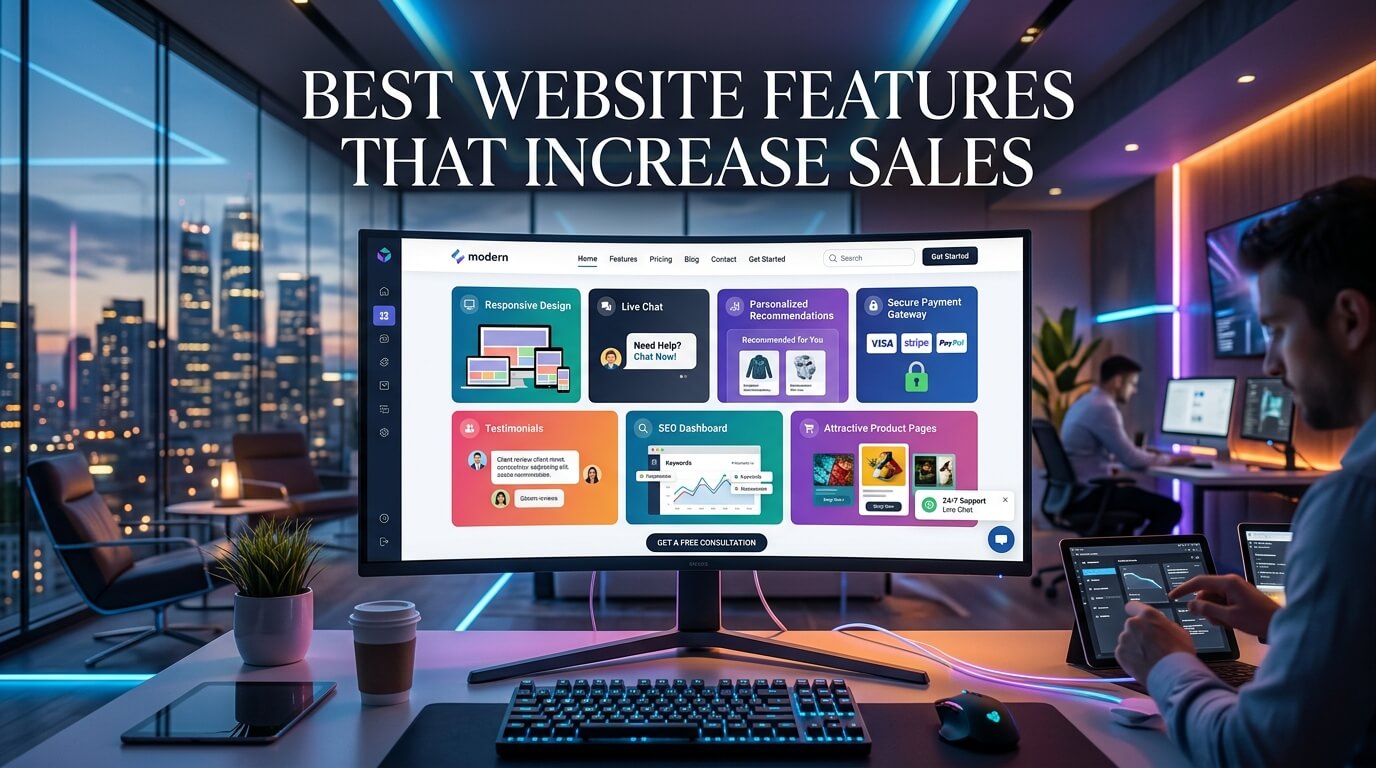
A business website is no longer just an online brochure. It has become the primary place where customers discover brands, compare products, evaluate credibility, and make purchasing decisions. Whether you run an eCommerce store, a service-based company, or a B2B business, your website has one important job: turning visitors into paying customers.
Many businesses spend heavily on digital advertising and search engine optimization, only to discover that their websites fail to convert traffic into sales. A slow-loading page, confusing navigation, poor product descriptions, or an outdated design can cause potential buyers to leave within seconds. On the other hand, a well-designed website with strategic features creates trust, improves user experience, and encourages visitors to complete their purchases.
Modern consumers expect websites to be fast, secure, easy to navigate, and informative. They want to find answers quickly without frustration. Every design decision, from the placement of a call-to-action button to the quality of product images, influences how comfortable users feel when interacting with a business online.
This guide explores the best website features that increase sales, explaining why each feature matters and how businesses can implement them effectively. Whether you’re building a new website or improving an existing one, these elements can significantly enhance customer engagement and conversion rates.
Why Website Features Matter for Sales
A website is often the first interaction a customer has with a business. Before speaking with a salesperson or visiting a physical location, people usually research online. During this research phase, they form opinions based on what they see and experience.
An attractive design alone is not enough. Visitors judge websites based on speed, ease of use, professionalism, security, and accessibility. If navigating the site feels difficult or confusing, they may leave and purchase from a competitor.
Every website feature should reduce friction in the customer journey. Instead of forcing users to search for information, an effective website guides them naturally toward taking action. Whether the goal is making a purchase, requesting a quote, scheduling a consultation, or subscribing to a service, every page should support that objective.
Businesses that continuously improve their websites often experience higher conversion rates, lower bounce rates, better customer satisfaction, and increased revenue over time.
Key Website Features That Drive More Sales
The following table summarizes some of the most important website features that directly influence conversions.
| Website Feature | Primary Benefit | Impact on Sales |
| Fast Loading Speed | Better user experience | Higher conversions |
| Mobile-Friendly Design | Improved accessibility | More mobile purchases |
| Clear Navigation | Easier browsing | Longer sessions |
| High-Quality Images | Builds confidence | Higher purchase rates |
| Strong Call-to-Action Buttons | Encourages action | More conversions |
| Customer Reviews | Builds trust | Increased credibility |
| Secure Checkout | Reduces hesitation | Lower cart abandonment |
| Live Chat | Instant support | More completed sales |
| Personalized Recommendations | Better shopping experience | Higher average order value |
| Simple Checkout Process | Faster purchases | Improved conversion rates |
Fast Website Loading Speed
Speed Creates Better First Impressions
Website speed is one of the strongest factors affecting sales. Online visitors expect pages to load almost instantly. Even a delay of a few seconds can lead to frustration, increased bounce rates, and lost revenue.
A fast-loading website communicates professionalism and reliability. Visitors feel more comfortable browsing when pages respond quickly, images appear without delays, and navigation feels smooth.
How Speed Improves Conversion Rates
Fast websites encourage visitors to explore more pages, spend more time reading content, and complete purchases with fewer interruptions. Search engines also reward faster websites with better rankings, leading to more organic traffic.
Businesses should optimize image sizes, enable browser caching, minimize unnecessary scripts, and use reliable hosting to improve overall website performance.
Mobile-Friendly Responsive Design
Most Online Shopping Happens on Mobile
A significant percentage of online users browse websites using smartphones and tablets. If a website doesn’t display correctly on smaller screens, visitors often leave immediately.
Responsive design automatically adjusts layouts, images, menus, and content to fit different screen sizes, creating a seamless browsing experience.
Better User Experience on Every Device
Buttons should be easy to tap, text should remain readable, and forms should require minimal typing. Mobile users appreciate websites that prioritize simplicity and convenience.
Businesses that invest in responsive design typically see improvements in mobile traffic, engagement, and sales.
Clear and Simple Navigation
Help Visitors Find Information Quickly
Navigation should never make users think too hard. Customers should immediately understand where to click to find products, services, pricing, contact details, or support.
Logical menu structures reduce frustration and improve confidence.
Organize Content Effectively
Well-organized categories, visible search functionality, breadcrumb navigation, and clearly labeled pages help visitors explore the website naturally.
Simple navigation encourages users to view more pages, increasing opportunities for conversion.
High-Quality Images and Videos
Visual Content Influences Buying Decisions
Customers cannot physically inspect products online, making visuals extremely important.
Professional photography allows buyers to understand product quality, size, texture, and appearance before making a purchase.
Videos further enhance the experience by demonstrating products in real-world situations.
Build Trust Through Professional Visuals
Blurry or poorly lit images reduce confidence. High-resolution photos from multiple angles help customers make informed decisions and reduce uncertainty.
Businesses selling services can also benefit by using professional team photos, office images, project portfolios, and testimonial videos.
Strong Call-to-Action Buttons
Guide Visitors Toward the Next Step
Every page should clearly tell visitors what to do next.
Whether it’s “Buy Now,” “Request a Quote,” “Schedule a Consultation,” or “Contact Our Team,” effective call-to-action buttons eliminate confusion.
Strategic Placement Matters
Calls to action should appear naturally throughout the customer journey without overwhelming users.
Important pages often include multiple CTAs positioned after valuable information, allowing visitors to act whenever they feel ready.
The wording should focus on benefits while remaining concise and action-oriented.
Trust Signals That Build Confidence
Customers Need Reassurance
People hesitate to buy from businesses they don’t trust. Trust signals reduce uncertainty and demonstrate credibility.
Examples include customer testimonials, secure payment badges, professional certifications, industry awards, guarantees, and transparent business information.
Authentic Customer Reviews
Real customer experiences provide valuable social proof.
Positive reviews reassure potential buyers that previous customers had successful experiences.
Displaying ratings alongside products or services often improves conversion rates because visitors feel more confident about their purchasing decisions.
Easy-to-Use Search Functionality
Search Speeds Up the Buying Journey
Many visitors know exactly what they want. Instead of browsing multiple categories, they prefer using the search bar.
A smart search function delivers relevant results quickly, helping users locate products within seconds.
Intelligent Search Improves User Experience
Modern search features can suggest products while users type, correct spelling mistakes, and recommend similar items.
These improvements save time and reduce frustration.
Detailed Product or Service Pages
Answer Every Customer Question
Strong product pages eliminate uncertainty.
Customers want detailed descriptions explaining features, specifications, dimensions, pricing, benefits, compatibility, materials, warranty information, and delivery details. The more questions answered in advance, the less hesitation customers experience.
Use Clear Language
Descriptions should focus on solving customer problems rather than simply listing technical specifications.
Well-written content helps visitors imagine how the product or service fits into their lives.
Secure Payment and Checkout System
Security Builds Confidence
Customers are cautious about sharing financial information online. Visible security features reassure buyers that transactions remain protected.
HTTPS encryption, trusted payment gateways, and recognizable payment options increase customer confidence.
Reduce Checkout Friction
Long checkout processes frequently lead to abandoned carts.
Businesses should minimize unnecessary form fields, allow guest checkout, provide multiple payment methods, and display progress indicators throughout the purchase process.
Simple checkout experiences consistently generate higher conversion rates.
Live Chat and Instant Customer Support
Immediate Answers Increase Sales
Many customers have questions before making purchases. Instead of waiting for email responses, they appreciate instant communication.
Live chat allows businesses to address concerns immediately, helping customers continue through the buying process.
Personalized Assistance
Support representatives can recommend products, explain features, assist with technical issues, and resolve concerns in real time.
This personalized interaction often converts hesitant visitors into paying customers.
Personalized Recommendations
Suggest Relevant Products
Recommendation engines analyze customer behavior to suggest products or services aligned with user interests.
This personalized approach improves shopping experiences while increasing average order values.
Create More Opportunities
Displaying related products, frequently bought together suggestions, and recently viewed items encourages additional purchases without feeling intrusive.
Compelling Headlines and Clear Messaging
Communicate Value Immediately
Visitors decide within seconds whether a website appears relevant. Strong headlines quickly explain what the business offers and why customers should choose it.
Avoid vague marketing language. Instead, communicate practical benefits clearly and directly.
Focus on Customer Problems
Successful messaging speaks to customer needs instead of business achievements.
When visitors immediately recognize that a business understands their challenges, trust develops naturally.
Easy Contact Options
Make Communication Simple
Customers often want reassurance before buying.
Visible contact information—including phone numbers, email addresses, contact forms, and business hours—creates transparency. Businesses should avoid hiding contact details deep within the website.
Multiple Communication Channels
Offering several communication methods accommodates different customer preferences. Some users prefer phone calls, while others choose email, chat, or messaging services. Providing flexibility improves customer satisfaction.
Social Proof Throughout the Website
Showcase Real Success Stories
Beyond testimonials, businesses should highlight case studies, project results, client success stories, and user-generated content. These examples demonstrate proven results rather than simply making promises.
Authenticity Matters
Potential customers recognize genuine experiences. Detailed success stories explaining challenges, solutions, and outcomes feel more believable than overly promotional statements.
Frequently Asked Questions
Remove Buying Barriers
Many customer concerns repeat across industries. An FAQ section answers these common questions before they become obstacles.
Topics may include shipping, returns, warranties, pricing, installation, delivery times, subscriptions, or technical support.
Save Time for Everyone
Customers receive instant answers while businesses reduce repetitive support requests. Well-written FAQs improve overall customer experience.
Search Engine Optimization Features
Attract Qualified Traffic
A beautiful website generates little value without visitors. SEO-friendly features help search engines understand website content, increasing visibility in search results.
Build Long-Term Growth
Optimized page titles, descriptive URLs, internal linking, quality content, structured headings, and fast performance all contribute to stronger search rankings.
Higher rankings bring more qualified visitors who are actively searching for relevant products or services.
Accessibility Improves Customer Reach
Design for Everyone
Accessible websites serve users with different abilities.
Readable fonts, proper color contrast, keyboard navigation, image descriptions, and logical layouts improve usability for all visitors.
Better Experiences Lead to More Sales
Accessibility enhancements often improve navigation, readability, and overall user satisfaction, benefiting every visitor regardless of ability.
Professional Branding and Consistent Design
Create Recognition
Consistent colors, typography, imagery, and messaging strengthen brand identity. Visitors remember businesses that maintain a cohesive visual style across every page.
Increase Credibility
Professional branding communicates reliability and attention to detail. Customers often associate polished websites with trustworthy businesses.
Analytics and Continuous Improvement
Measure Performance
The highest-converting websites evolve continuously.
Analytics tools reveal where visitors arrive, which pages perform best, where users abandon their journeys, and which marketing campaigns generate the highest returns.
Make Data-Driven Decisions
Instead of relying on assumptions, businesses can improve layouts, messaging, calls to action, and checkout experiences based on real customer behavior. Regular testing ensures ongoing improvements in conversion rates.
Integrating Features Into a Complete Customer Journey
The most successful websites do not rely on one outstanding feature. Instead, they combine multiple elements into a smooth, customer-focused experience. A visitor may discover the website through a search engine, quickly find the information they need because of clear navigation, gain confidence through customer reviews, watch a product demonstration video, ask a question through live chat, and complete a purchase using a secure and simple checkout process. Each feature supports the next step, creating a journey that feels natural rather than forced.
Businesses sometimes focus on adding trendy features while ignoring basic usability. However, increasing sales usually comes from refining the essentials. Improving page speed, simplifying navigation, strengthening product pages, and making checkout easier often delivers greater results than adding unnecessary visual effects or complicated functionality. Every improvement should help visitors accomplish their goals faster and with greater confidence.
As customer expectations continue to evolve, websites should also be reviewed regularly. Technologies change, browsing habits shift, and competitors introduce new ideas. Businesses that consistently evaluate user behavior and optimize their websites are better positioned to maintain strong conversion rates over the long term.
Conclusion
A successful website does far more than look attractive. It functions as a powerful sales tool that builds trust, answers customer questions, simplifies decision-making, and removes obstacles throughout the buying journey. Features such as fast loading speeds, responsive design, intuitive navigation, compelling calls to action, high-quality visuals, secure payment systems, customer reviews, live chat, personalized recommendations, and SEO-friendly architecture all contribute to higher conversion rates.
Rather than viewing these features as separate additions, businesses should see them as interconnected components of a complete customer experience. When every element works together, visitors feel more confident, engaged, and motivated to take action. Investing in these website features not only increases sales today but also creates a stronger online presence that supports long-term business growth.
Frequently Asked Questions
Q1. Which website feature has the biggest impact on sales?
Fast loading speed, easy navigation, strong calls to action, and a simple checkout process typically have the greatest influence on improving conversions.
Q2. Why is mobile-friendly design important for increasing sales?
Most users browse and shop on mobile devices, so responsive websites provide a smoother experience that encourages purchases.
Q3. Do customer reviews really increase conversions?
Yes. Authentic customer reviews build trust, reduce uncertainty, and help potential buyers feel more confident about making a purchase.
Q4. How does website speed affect customer behavior?
Slow websites frustrate visitors, increase bounce rates, and reduce completed purchases, while fast websites improve engagement and conversions.
Q5. How often should businesses update website features?
Businesses should review and improve their websites regularly, ideally every few months, based on analytics, customer feedback, and changing user expectations.