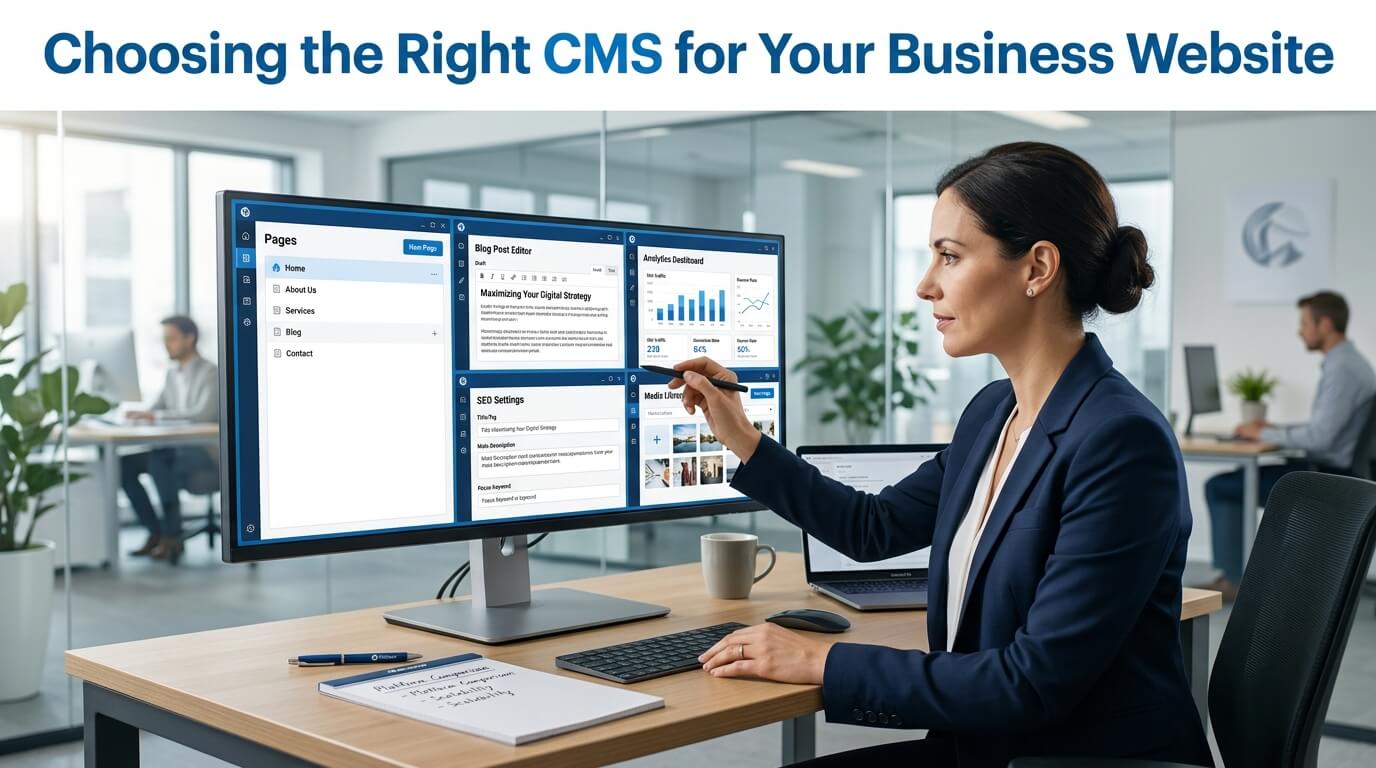
A business website is much more than an online brochure. It is often the first interaction potential customers have with your brand, making it one of the most valuable assets for attracting leads, building credibility, and generating revenue. Whether you own a small local business, an online store, or a large enterprise, your website plays a vital role in communicating your products, services, and expertise to your target audience. However, even the most visually appealing website depends on one important foundation—the Content Management System (CMS).
A CMS is the software that powers your website behind the scenes. It allows you to create, edit, organize, and publish content without requiring extensive programming knowledge. From updating your homepage and publishing blog posts to managing product listings and optimizing pages for search engines, the CMS determines how easy or difficult these tasks become. Choosing the right platform can save your business countless hours while providing the flexibility to grow and adapt as your needs evolve.
Many businesses make the mistake of selecting a CMS based solely on popularity or recommendations without evaluating whether it truly aligns with their objectives. While one platform may excel for blogging, another may be better suited for eCommerce, and yet another may offer enterprise-level scalability. Factors such as ease of use, customization, SEO capabilities, security, integrations, and long-term costs all influence whether a CMS will support or limit your business growth.
Making the right decision requires understanding both your current requirements and your future goals. A platform that works well today should also be capable of supporting your business several years down the road without requiring a complete website rebuild. In this guide, we’ll explore the key factors every business should consider when choosing a CMS, helping you make an informed decision that benefits your website, your team, and your customers.
What Is a Content Management System (CMS)?
A Content Management System, commonly referred to as a CMS, is software that enables businesses to create, manage, organize, and publish digital content without needing to manually write code. Instead of editing HTML files every time a change is required, users can simply log into an administrative dashboard where they can update pages, upload images, publish blog articles, modify navigation menus, and perform many other website management tasks with ease.
Before CMS platforms became widely available, maintaining a website required technical knowledge and the assistance of web developers for even minor updates. Changing a phone number, correcting a spelling mistake, or adding a new service page often meant editing source code manually. Today, businesses can make these changes themselves in just a few minutes, allowing websites to remain accurate and up to date.
Modern CMS platforms do much more than simply publish content. They manage media libraries, organize pages, support user roles, enable search engine optimization, integrate with marketing tools, and often provide thousands of extensions that add new functionality. Many systems also include visual editors, allowing users to build pages through drag-and-drop interfaces instead of complex programming.
Another major advantage is collaboration. Multiple team members can access the website simultaneously with different permission levels. Writers can create blog posts, editors can review content, marketers can update landing pages, and administrators can oversee the entire website without interfering with one another’s work.
Ultimately, a CMS simplifies website management while reducing dependence on developers for routine tasks. This flexibility allows businesses to respond more quickly to changing market conditions, launch new campaigns efficiently, and keep customers informed with fresh, relevant content.
Why Your CMS Choice Matters
Many business owners underestimate how much influence a CMS has on their company’s digital success. They often focus on website design, branding, or visual appeal while overlooking the platform that powers every function behind the scenes. However, the CMS determines how efficiently your team can manage content, how well your website performs, and how easily it can grow alongside your business.
Choosing the wrong CMS can lead to numerous long-term challenges. Employees may struggle to update content because the interface is difficult to use. Marketing teams may encounter limitations when launching campaigns or creating landing pages. Developers may spend unnecessary time implementing features that another CMS already supports natively. These inefficiencies increase operational costs and reduce productivity over time.
The right CMS also influences customer experience. Faster page loading, intuitive navigation, responsive design, and reliable performance all contribute to keeping visitors engaged. If your website is difficult to manage, outdated information may remain online for extended periods, creating a poor impression and reducing customer trust.
Search engine optimization is another area heavily affected by CMS selection. Some platforms make it easy to optimize page titles, meta descriptions, URLs, images, and structured data, while others provide limited SEO capabilities. Since organic search traffic often represents a significant source of leads, selecting a CMS with strong SEO support can directly impact business growth.
Perhaps most importantly, a CMS should support future expansion. As your company introduces new products, opens additional locations, hires more employees, or enters international markets, your website must adapt accordingly. A scalable CMS ensures that growth becomes an opportunity rather than a technical challenge.
For these reasons, choosing a CMS should never be viewed as a simple software decision. Instead, it should be considered a strategic investment in your company’s long-term digital success.
Understanding Your Business Needs Before Comparing CMS Platforms
Before evaluating individual CMS platforms, businesses should first take the time to clearly define what they expect their website to accomplish. Without understanding these objectives, it becomes difficult to determine which platform is actually the best fit.
Every business has unique requirements. A local accounting firm may only need a professional informational website with service pages and contact forms. An online retailer requires advanced product management, secure payment processing, inventory tracking, and customer accounts. A university may need thousands of pages managed by dozens of content editors, while a media company might publish dozens of articles every day.
Thinking about future business plans is equally important. Many businesses choose a CMS based only on their immediate needs, only to discover two years later that it lacks the flexibility required for expansion. Planning ahead can prevent expensive migrations and website redesigns.
Businesses should carefully consider the volume of content they expect to publish, the number of employees who will manage the website, whether eCommerce functionality will eventually be required, and how much customization may be necessary in the future. Companies planning to invest heavily in content marketing should ensure the CMS provides robust blogging features, while organizations serving international audiences should evaluate multilingual capabilities from the beginning.
Technical expertise within the company should also influence the decision. Some CMS platforms require ongoing maintenance, software updates, and occasional troubleshooting. Others provide managed hosting and automatic updates, making them more suitable for businesses without dedicated IT staff.
Taking time to evaluate these factors before comparing platforms creates a clear decision-making framework. Rather than selecting the most popular CMS, businesses can identify the solution that aligns with their unique goals, available resources, and long-term strategy.
Types of Content Management Systems
The CMS market offers several categories of platforms, each designed to meet different business requirements. Understanding these categories helps businesses narrow their options before evaluating specific solutions.
Open-Source CMS
Open-source CMS platforms provide businesses with complete access to the software’s source code, allowing extensive customization and flexibility. These systems are widely used because they can be modified to support virtually any type of website, from small business portfolios to large corporate portals and complex eCommerce stores.
One of the greatest advantages of an open-source CMS is freedom. Businesses are not restricted by a vendor’s predefined functionality and can customize nearly every aspect of the website. Thousands of plugins, themes, and community-developed extensions further expand the platform’s capabilities, making it possible to add features such as booking systems, customer portals, advanced SEO tools, membership areas, and online stores.
However, this flexibility comes with additional responsibility. Businesses are typically responsible for arranging hosting, managing software updates, implementing security patches, and maintaining backups. While these tasks are manageable with the right technical support, organizations without experienced developers may find them more demanding than hosted alternatives.
Despite these responsibilities, open-source CMS platforms remain an excellent choice for businesses seeking maximum customization and long-term flexibility.
Hosted CMS
Hosted CMS platforms simplify website management by combining the software, hosting, maintenance, security, and updates into a single service. Instead of worrying about server configuration or software maintenance, businesses can focus almost entirely on content creation and website management.
These platforms are especially attractive for startups, small businesses, and organizations without dedicated technical teams. Since the provider manages updates and infrastructure, website owners spend less time maintaining the platform and more time growing their business.
Hosted solutions often include professionally designed templates, visual page builders, integrated security features, and customer support, making them accessible even for users with little technical experience.
The primary trade-off is flexibility. Compared to open-source platforms, hosted systems may impose limitations on customization, integrations, or server-level modifications. Businesses with highly specialized requirements should carefully evaluate whether these restrictions align with their long-term objectives.
Nevertheless, for many organizations seeking convenience, reliability, and ease of use, hosted CMS platforms provide an excellent balance between functionality and simplicity.
Key Features to Look for in a Business CMS
Once you understand your business requirements and the different types of CMS platforms available, the next step is evaluating the features that truly matter. Every CMS offers a different combination of tools, but certain capabilities are essential regardless of your industry or business size. Choosing a platform with the right balance of functionality ensures that your website remains efficient, secure, and capable of supporting your long-term goals.
Ease of Use
A CMS should simplify website management rather than make it more complicated. Even if your business has an experienced marketing team, an overly complex interface can slow productivity and increase the chances of mistakes. A clean dashboard, intuitive navigation, and visual editing tools allow employees to update content quickly without requiring technical assistance.
Ease of use becomes even more important when multiple people are involved in managing the website. Writers, editors, marketers, and business owners should all be able to perform their respective tasks without extensive training. A user-friendly CMS reduces the learning curve, allowing new employees to become productive much faster.
Many modern platforms also include drag-and-drop page builders, media libraries, reusable templates, and content scheduling tools that simplify everyday tasks. These features save time while ensuring consistency across the website.
Customization and Design Flexibility
Every business has its own identity, and your website should accurately reflect your brand. A CMS should provide enough flexibility to create a unique online presence rather than forcing your business into a generic template.
Customization extends far beyond choosing colors and fonts. Businesses often require custom landing pages, unique layouts, interactive elements, service calculators, appointment booking systems, customer portals, and many other specialized features. The right CMS should support these requirements without requiring a complete redesign every time your business evolves.
Flexibility also allows companies to refresh their website periodically without rebuilding it from scratch. As branding trends change and customer expectations evolve, your CMS should make redesigns straightforward while preserving existing content and functionality.
SEO Capabilities Should Be a Priority
Search engine optimization is one of the most valuable sources of long-term website traffic. While high-quality content remains the foundation of successful SEO, your CMS also plays a significant role in determining how easily your website can be optimized.
A business CMS should provide control over essential SEO elements such as page titles, meta descriptions, image alt text, URL structures, canonical tags, redirects, and XML sitemaps. These features help search engines understand your website while improving your chances of ranking for relevant keywords.
Another important consideration is website speed. Search engines reward websites that load quickly because they provide a better user experience. A well-designed CMS should generate clean code, support caching, compress images, and integrate with content delivery networks when needed.
Businesses investing in content marketing should also look for blogging features that make it easy to organize articles into categories, manage tags, schedule posts, and optimize each page individually. As your content library grows, these capabilities become increasingly valuable for maintaining an organized and search-friendly website.
Selecting a CMS with strong SEO functionality creates a solid foundation for attracting consistent organic traffic without relying entirely on paid advertising.
Website Security Cannot Be Ignored
Regardless of your industry, cybersecurity should always be a major consideration when choosing a CMS. Websites frequently become targets for hackers attempting to steal customer information, inject malicious code, or disrupt business operations.
A secure CMS receives regular software updates that address newly discovered vulnerabilities before they can be exploited. Businesses should also verify that the platform supports secure login systems, user permission controls, encrypted connections through SSL certificates, automated backups, and reliable authentication methods.
Another important factor is plugin management. Many security issues arise not from the CMS itself but from outdated third-party extensions. Choosing a platform with a well-maintained ecosystem and actively supported plugins significantly reduces security risks.
If your website processes online payments or stores customer information, security becomes even more critical. Customers expect businesses to protect their personal data, and a security breach can damage both your reputation and your finances.
Investing in a secure CMS helps protect your website while giving customers confidence in your business.
Scalability for Future Business Growth
Many companies build their first website based only on their current needs. While this approach may seem practical initially, it often creates limitations as the business grows. Choosing a CMS that can scale alongside your organization helps avoid expensive migrations in the future.
Scalability means the platform should continue performing efficiently as your website expands. Over time, your business may add hundreds of blog articles, new service pages, online stores, customer portals, multiple language versions, or thousands of products. Your CMS should be capable of managing these additions without sacrificing performance.
Traffic growth is another important consideration. A platform that works well with a few hundred monthly visitors should also handle thousands of daily users if your marketing campaigns become successful. The ability to support additional administrators, integrate with new business software, and expand website functionality ensures that your CMS remains useful for many years.
Businesses that think long-term often save significant time and money because they avoid rebuilding their websites every time new opportunities arise.
Integration with Other Business Tools
Modern businesses rely on a variety of digital tools to manage daily operations. Customer relationship management systems, email marketing platforms, payment gateways, accounting software, inventory management systems, live chat applications, analytics tools, and social media platforms all contribute to business success.
Your CMS should integrate smoothly with these systems to create a seamless workflow. When different software platforms communicate with one another, employees spend less time performing repetitive manual tasks and more time focusing on customers.
For example, integrating your CMS with an email marketing platform allows website visitors to automatically join your mailing list after completing a contact form. Connecting your online store with inventory software ensures stock levels remain accurate. Integrating analytics platforms provides valuable insights into customer behavior and marketing performance.
The ability to connect with third-party tools increases the overall value of your website while supporting business efficiency.
Comparing CMS Options
The following table summarizes the strengths of different CMS categories. Although individual platforms vary, this comparison provides a useful starting point for evaluating which type of system best suits your business.
| Feature | Open-Source CMS | Hosted CMS | Headless CMS | Enterprise CMS |
| Ease of Use | Moderate | Excellent | Moderate | Moderate |
| Customization | Excellent | Good | Excellent | Excellent |
| Technical Knowledge Required | High | Low | High | High |
| SEO Flexibility | Excellent | Very Good | Excellent | Excellent |
| Security Management | User Managed | Provider Managed | Shared Responsibility | Advanced |
| Scalability | Excellent | Good | Excellent | Outstanding |
| Best For | Growing businesses | Small businesses | Omnichannel businesses | Large organizations |
This comparison highlights an important reality: there is no universally perfect CMS. The best choice depends on your company’s goals, available resources, technical expertise, and future plans.
Budget Considerations Beyond the Purchase Price
Many businesses evaluate CMS platforms based only on the initial cost, but this approach often leads to unexpected expenses later. A comprehensive budget should include every cost associated with building and maintaining your website over several years.
Hosting fees, premium themes, plugins, software licenses, domain registration, SSL certificates, developer support, security services, backups, ongoing maintenance, and employee training all contribute to the total cost of ownership.
An inexpensive platform may require frequent developer assistance, making it more expensive over time. Conversely, a slightly higher monthly subscription may include hosting, security, updates, and technical support, reducing long-term maintenance costs.
Businesses should also consider future expenses associated with expansion. Adding new functionality, redesigning the website, or integrating additional business tools may require extra investment depending on the CMS.
Evaluating long-term value instead of simply comparing upfront prices leads to better financial decisions.
Common Mistakes Businesses Make When Choosing a CMS
One of the most common mistakes is selecting a CMS simply because it is popular. While popularity often reflects quality, it does not guarantee that the platform aligns with your specific business needs.
Another frequent mistake is focusing exclusively on visual design. An attractive website is important, but functionality, performance, scalability, and usability have a much greater impact on long-term success.
Some businesses also underestimate future growth. They select a platform that satisfies their immediate requirements but becomes restrictive once the company expands. Migrating to a new CMS can be costly, time-consuming, and potentially disruptive to search engine rankings.
Ignoring SEO capabilities is another costly error. Even excellent content may struggle to rank if the CMS lacks proper optimization tools.
Businesses should also avoid neglecting security. Failing to update software, relying on unsupported plugins, or overlooking security features can expose the website to unnecessary risks.
Finally, many organizations make decisions without involving the employees who will actually use the CMS every day. Gathering feedback from marketers, writers, designers, and administrators often leads to better platform selection.
How to Make the Final Decision
After narrowing your options, avoid making a decision based solely on marketing claims. Instead, take time to explore demonstrations, trial versions, and case studies to understand how each platform performs in real-world situations.
Create a list of your business requirements and compare each CMS against those priorities. Consider factors such as ease of content management, customization options, scalability, SEO features, integrations, security, customer support, and total ownership costs.
It is also wise to think several years ahead rather than focusing only on current needs. A CMS that supports future growth allows your business to evolve without requiring another major investment in website redevelopment.
Remember that your website is not a short-term project. It is a long-term business asset that should continue generating leads, building credibility, and supporting your marketing strategy for many years. Choosing the right CMS today helps create a strong digital foundation for tomorrow.
Conclusion
Choosing the right CMS for your business website is one of the most important decisions you will make during the website development process. While attractive design and engaging content are essential, the CMS determines how efficiently your website operates behind the scenes. From content management and search engine optimization to security, scalability, and third-party integrations, every aspect of your online presence depends on selecting the right platform.
Instead of choosing a CMS simply because it is popular or inexpensive, businesses should evaluate their long-term objectives, available resources, technical expertise, and future growth plans. A platform that aligns with your business strategy will make website management easier, improve customer experience, support digital marketing efforts, and adapt as your organization evolves. Taking the time to choose wisely today can save significant time, money, and frustration in the years ahead.
Frequently Asked Questions
Q1. What is the primary purpose of a CMS?
A CMS allows businesses to create, edit, organize, and publish website content without needing advanced programming knowledge.
Q2. Which type of CMS is best for small businesses?
Hosted CMS platforms are often ideal for small businesses because they provide easy management, built-in security, and minimal technical maintenance.
Q3. Why is scalability important when choosing a CMS?
A scalable CMS can accommodate increased traffic, additional content, new features, and business growth without requiring a complete website rebuild.
Q4. Can a CMS improve my website’s SEO?
Yes. A CMS with strong SEO features makes it easier to optimize pages, improve search engine visibility, and attract more organic traffic.
Q5. Should I prioritize ease of use or customization?
The ideal CMS provides a balance of both. Businesses should choose a platform that is easy to manage while still offering enough flexibility to support future growth and changing requirements.