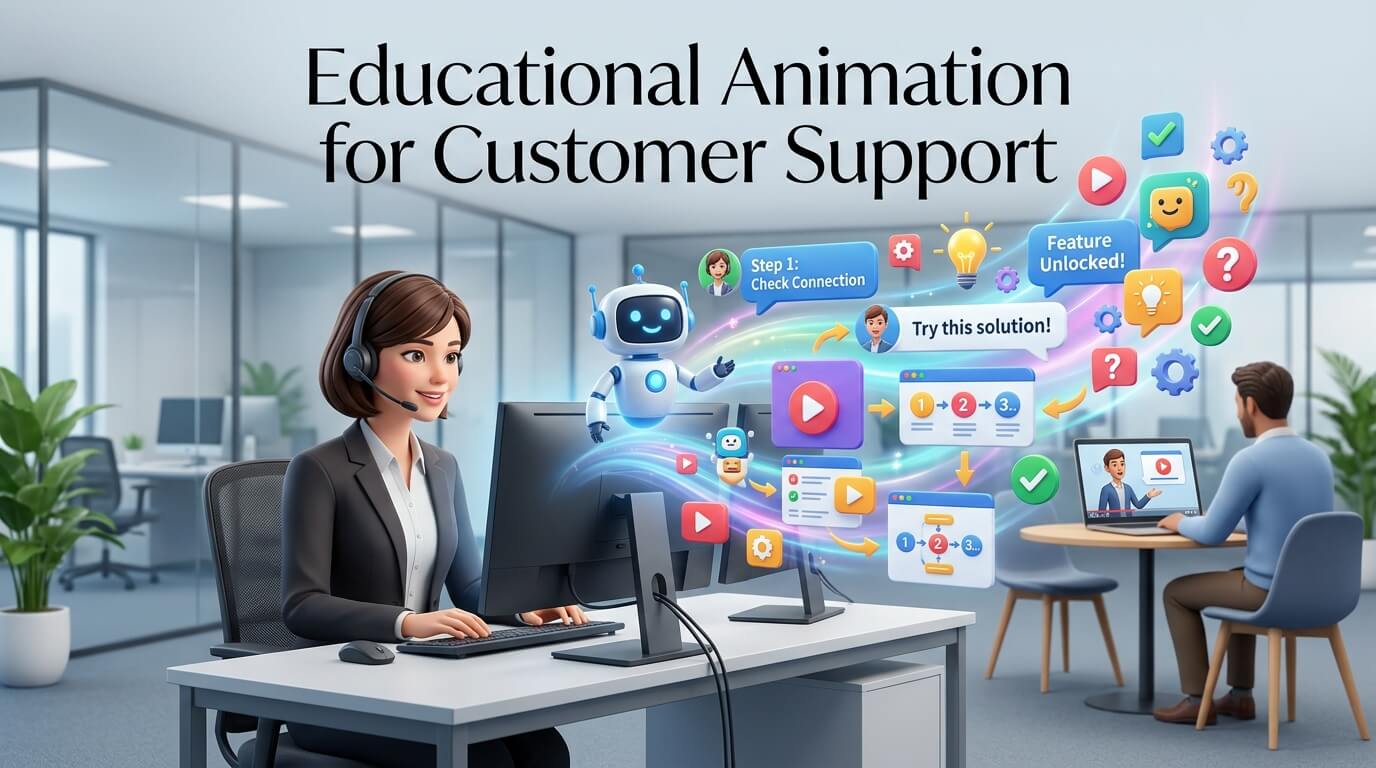
Customer support has changed dramatically in recent years. Customers no longer want to wait on hold, read lengthy instruction manuals, or exchange dozens of emails simply to understand how a product works. They expect businesses to provide quick, clear, and accessible answers whenever they encounter a problem. This shift has encouraged companies to explore new ways of explaining products, services, processes, and solutions. One of the most effective approaches is educational animation for customer support.
Educational animation uses animated visuals, motion graphics, characters, illustrations, text, voiceovers, and demonstrations to explain information in a simple and engaging way. Instead of asking customers to understand complicated written instructions, businesses can show them exactly what they need to do. A short animation can demonstrate how to set up a device, navigate software, troubleshoot an issue, complete a process, or understand an important feature.
For customer support teams, this approach offers more than visual appeal. Educational animation can reduce repetitive support requests, improve customer understanding, shorten resolution times, and create a more consistent support experience. When designed properly, animations can become valuable customer education assets that continue working long after they are published.
What Is Educational Animation for Customer Support?
Educational animation for customer support refers to animated content created specifically to help customers understand products, services, features, procedures, or solutions. Unlike promotional animation, which is primarily designed to attract customers and encourage purchases, educational animation focuses on solving problems and improving understanding.
A customer support animation might show a new customer how to create an account, demonstrate how to reset a password, explain how a subscription works, or walk someone through a technical troubleshooting process. The objective is not simply to entertain the viewer. Every visual element should contribute to making the information easier to understand.
How Educational Animation Works in Support
Customer support animations generally combine visual storytelling with clear explanations. A voiceover may guide the viewer through each step while animated graphics demonstrate what is happening. On-screen text can reinforce important instructions, while transitions can show how one action leads to another.
This combination is particularly useful when the subject involves several steps. Written instructions can force customers to imagine what a particular button, menu, screen, or process looks like. Animation removes much of that uncertainty by showing the process directly.
For example, imagine a software company receiving frequent questions about changing account settings. A written support article may explain where customers should click, but an animated tutorial can visually guide users through the interface. Customers can watch the process and follow along, often resolving their problem without contacting an agent.
Why Customer Support Needs Better Educational Content
Traditional customer support remains important, but many support interactions involve questions that are repetitive and relatively simple. Customers may contact a support representative because they cannot understand a feature, locate an option, configure a product, or complete a standard process.
When support teams repeatedly answer the same questions, valuable employee time is consumed. Educational animation can address many of these recurring questions before they become support tickets.
Reducing Repetitive Customer Questions
One of the biggest advantages of educational animation is its ability to answer frequently asked questions visually. Instead of a support agent repeatedly explaining the same procedure, the company can provide a short animation that customers can watch whenever they need assistance.
This does not mean animation eliminates human support. Instead, it allows support teams to focus their attention on complex cases that require individual attention. Customers with straightforward questions can often find immediate answers through self-service content.
Making Complicated Information Easier
Some products and services are naturally difficult to explain. Technical software, financial services, medical devices, industrial equipment, and digital platforms can involve terminology and processes that are unfamiliar to ordinary customers.
Animation provides a way to simplify these subjects without removing important information. A complicated workflow can be broken into visual stages. A technical concept can be represented through diagrams. A product mechanism can be shown internally through an animated cutaway.
The result is a support resource that makes complex information more approachable.
The Benefits of Educational Animation for Customer Support
Educational animation can influence several aspects of the customer experience. Its value goes beyond making support content more attractive because it can improve comprehension, accessibility, consistency, and efficiency.
| Customer Support Challenge | How Educational Animation Helps | Potential Benefit |
| Repetitive questions | Provides reusable visual explanations | Fewer routine support requests |
| Complex instructions | Demonstrates processes step by step | Better customer understanding |
| Long support articles | Converts information into concise visual content | Faster information consumption |
| Product confusion | Shows features and workflows visually | Improved product confidence |
| Inconsistent explanations | Provides standardized guidance | More consistent support |
| Language barriers | Combines visuals with narration and captions | Greater accessibility |
| Onboarding difficulties | Demonstrates initial setup and usage | Smoother customer onboarding |
| Troubleshooting problems | Shows diagnostic and corrective actions | Faster issue resolution |
Improving Customer Understanding
People process information differently. Some customers prefer reading detailed documentation, while others understand concepts more easily when they can see them demonstrated. Animation caters to visual learners by turning abstract explanations into visible actions.
A customer who struggles to understand a paragraph describing a software workflow may immediately understand an animated demonstration. Seeing a cursor move through the interface, watching a menu open, and observing the final result can make the process significantly clearer.
Better understanding can also reduce frustration. Customers are more likely to feel confident when they know exactly what action they are supposed to take.
Creating Faster Support Experiences
Speed matters in customer service. When people encounter a problem, they generally want a solution rather than a lengthy explanation. A carefully produced animation can deliver an answer in a few minutes or even seconds.
For example, a 60-second animation might explain a process that would otherwise require several paragraphs of instructions and multiple screenshots. Customers can watch the complete sequence and then repeat the actions themselves.
This can contribute to faster issue resolution and reduce the amount of time customers spend searching through support resources.
Educational Animation and Self-Service Support
Self-service has become an essential part of modern customer support. Customers increasingly expect companies to provide help centers, knowledge bases, FAQs, tutorials, and other resources that allow them to solve problems independently.
Educational animation fits naturally into this environment.
Animations in Knowledge Bases
A knowledge base does not have to consist entirely of written articles. Support teams can embed short animations directly into relevant help pages. When a customer reads an instruction and still feels confused, the animation provides an additional explanation.
This creates a more flexible support experience. Customers who prefer reading can continue using the written article, while customers who need a demonstration can watch the animation.
Animations for Frequently Asked Questions
Frequently asked questions are ideal candidates for educational videos. If customers repeatedly ask how to perform the same action, a short animation can provide a permanent visual answer.
For example, an online platform could create animations explaining how to update billing information, change notification settings, invite team members, export data, or recover an account. Each animation can address one specific task.
Keeping animations focused is important. A support animation should generally solve one problem rather than attempting to explain an entire product in a single video.
Using Animation for Product Onboarding
Customer support begins before customers experience a problem. Good onboarding can prevent many problems from occurring in the first place.
Educational animation can introduce customers to a product immediately after purchase or registration. Instead of overwhelming new users with a long manual, businesses can provide a series of short animations that introduce important features gradually.
Guiding New Customers
An onboarding animation can show customers where to begin, what steps to complete first, and how to use essential features. This gives customers a structured introduction to the product.
For software products, onboarding animations can demonstrate dashboard navigation, account configuration, integrations, and basic workflows. For physical products, animation can explain installation, setup, safety procedures, and basic operation.
The goal is to help customers reach their first successful experience as quickly as possible.
Building Customer Confidence
A customer who does not understand how to use a product may assume the product is difficult or poorly designed. Clear educational content can change that perception.
When customers receive understandable guidance, they are more likely to feel capable of using the product independently. That confidence can influence satisfaction, adoption, and long-term engagement.
Animation for Troubleshooting and Technical Support
Technical troubleshooting is one of the strongest applications of educational animation. Technical instructions can become difficult when customers must interpret unfamiliar terminology or understand physical or digital components.
Animation can show the problem, explain why it occurs, and demonstrate the recommended solution.
Demonstrating Troubleshooting Steps
A troubleshooting animation can begin by identifying the issue. It can then demonstrate each corrective action in sequence. Visual cues can highlight buttons, cables, settings, components, or other elements that customers need to interact with.
This is especially useful when the order of operations matters. A written instruction may say that customers need to complete several steps, but an animation can make the sequence obvious.
Showing What Not to Do
Animation can also demonstrate incorrect actions. By showing a common mistake and then presenting the correct approach, support teams can help customers avoid unnecessary problems.
This is valuable for products where incorrect setup or operation could create additional complications. However, safety-critical instructions should always be reviewed carefully by appropriate experts and should not rely solely on animation.
Creating Effective Educational Animations
Producing an animation is not simply a matter of adding movement to existing support content. The animation must be planned around the customer’s actual problem.
Start With Customer Questions
The strongest educational animations usually begin with real customer questions. Support teams can review tickets, chat conversations, call transcripts, search data, and frequently visited help articles to identify areas where customers struggle.
If a company discovers that hundreds of customers ask the same question every month, that question may be an excellent candidate for animation.
This approach ensures that animation production is based on genuine customer needs rather than assumptions.
Keep the Explanation Focused
Educational animations should have a clear purpose. Customers should understand what the animation will teach them almost immediately.
A support animation titled “How to Reset Your Password” should focus on resetting the password. It does not need a lengthy introduction to the company’s history or unrelated product features.
The more focused the content, the easier it becomes for customers to find the answer they need.
Use Simple Visual Language
Complex animation does not automatically produce better education. In customer support, simplicity is often more valuable than visual sophistication.
Clean illustrations, clear labels, readable text, logical movement, and intuitive transitions can communicate information effectively. Excessive visual effects may distract viewers from the actual instructions.
The design should make the important action obvious.
Voiceovers, Captions, and Accessibility
Audio can make an educational animation feel more natural and conversational. A professional voiceover can explain what is happening while the visuals demonstrate the process.
However, businesses should not rely on voice alone. Captions are important for customers who cannot hear the audio, customers watching without sound, and users who prefer reading along with the narration.
Designing for Different Audiences
Customer support content may reach people from different countries, age groups, technical backgrounds, and accessibility needs. Educational animation should therefore be designed with broad usability in mind.
Clear language, readable typography, strong visual hierarchy, captions, and carefully paced narration can make content more accessible.
Companies operating internationally may also create localized versions of important animations. The same visual sequence can sometimes be reused while the voiceover, captions, and on-screen text are translated for different markets.
Where Educational Animations Can Be Used
Educational animation is flexible enough to support customers across multiple channels. A company can publish the same core animation in different support environments while adapting the surrounding context.
Help Centers and Websites
Help centers are among the most obvious locations for support animations. Embedding an animation directly into an article gives customers immediate access to a visual explanation.
Website visitors can also encounter educational animations while exploring product pages, onboarding resources, or service information.
Email Support
Support agents can include relevant animations in email responses when customers need help with a specific task. Instead of writing a long explanation, an agent can provide a concise written message accompanied by a visual tutorial.
This can make support communication easier for both the agent and the customer.
Live Chat
Animations can also complement live-chat support. If a customer asks a question that has already been addressed through a tutorial, the agent can direct them to the appropriate resource while remaining available if additional assistance is needed.
This creates a balance between automation and human support.
Measuring the Success of Educational Animation
Businesses should not judge support animations solely by views. The real objective is to improve the customer support experience.
Useful performance indicators may include reductions in repetitive support tickets, increased help-center engagement, improved article completion, faster resolution times, and customer satisfaction after viewing support content.
Connecting Animation to Business Results
Suppose a company receives 1,000 monthly support requests related to a particular feature. After publishing an educational animation, those requests decline significantly. That reduction provides evidence that the animation is doing more than attracting views; it is solving a real support problem.
Companies can also collect feedback directly from customers. A simple question such as whether the animation helped resolve the issue can provide valuable insight into its effectiveness.
Common Mistakes to Avoid
Educational animation can fail when businesses prioritize appearance over clarity. A visually impressive animation may still be ineffective if customers cannot understand what they are supposed to do.
Another common mistake is making animations too long. Support customers usually arrive because they have a problem. They want a direct solution rather than an extended presentation.
Poor narration, tiny text, confusing transitions, excessive effects, and outdated interface demonstrations can also reduce usefulness.
Content must be maintained as products change. If a software interface is redesigned, an old animation showing the previous interface may create more confusion than it resolves. Regularly reviewing support animations is therefore essential.
The Future of Educational Animation in Customer Support
As customer expectations continue to evolve, educational animation is likely to become an increasingly important component of digital support. Businesses are exploring interactive tutorials, personalized learning experiences, animated product demonstrations, and AI-assisted content creation.
The future may involve support experiences where customers receive highly relevant visual guidance based on the specific problem they are experiencing. Instead of searching through an entire knowledge base, customers may be guided toward a short animation designed around their exact task.
At the same time, human customer support will remain important. Animation works best as a tool that complements support professionals rather than replacing them entirely. Simple and repetitive questions can be addressed through educational resources, while complex or sensitive problems can still be handled by experienced representatives.
Conclusion
Educational animation can transform customer support by making difficult information easier to understand and routine solutions easier to access. From product onboarding and troubleshooting to frequently asked questions and self-service knowledge bases, animation gives businesses a practical way to demonstrate rather than simply describe.
The most successful support animations are not necessarily the most elaborate. They are the ones that understand the customer’s problem, provide a clear solution, use simple visuals, and make the information easy to follow. When integrated thoughtfully into a broader customer support strategy, educational animation can reduce repetitive inquiries, improve customer confidence, accelerate problem resolution, and create a more helpful overall experience.
Frequently Asked Questions
Q. What is educational animation in customer support?
Educational animation is visual content designed to teach customers how to use a product, understand a feature, complete a process, or solve a common problem.
Q. Can educational animation reduce customer support tickets?
Yes. When animations address frequently asked questions and common problems, they can help customers resolve simple issues independently and potentially reduce repetitive support requests.
Q. How long should a customer support animation be?
The ideal length depends on the complexity of the topic, but support animations should generally be as concise as possible while still explaining the process clearly.
Q. Can animations be used for technical troubleshooting?
Yes. Animation can be particularly effective for demonstrating technical processes, software workflows, installation procedures, and step-by-step troubleshooting instructions.
Q. Should educational animations include captions?
Yes. Captions improve accessibility and allow customers to understand the content when they cannot hear the voiceover or are watching without sound.