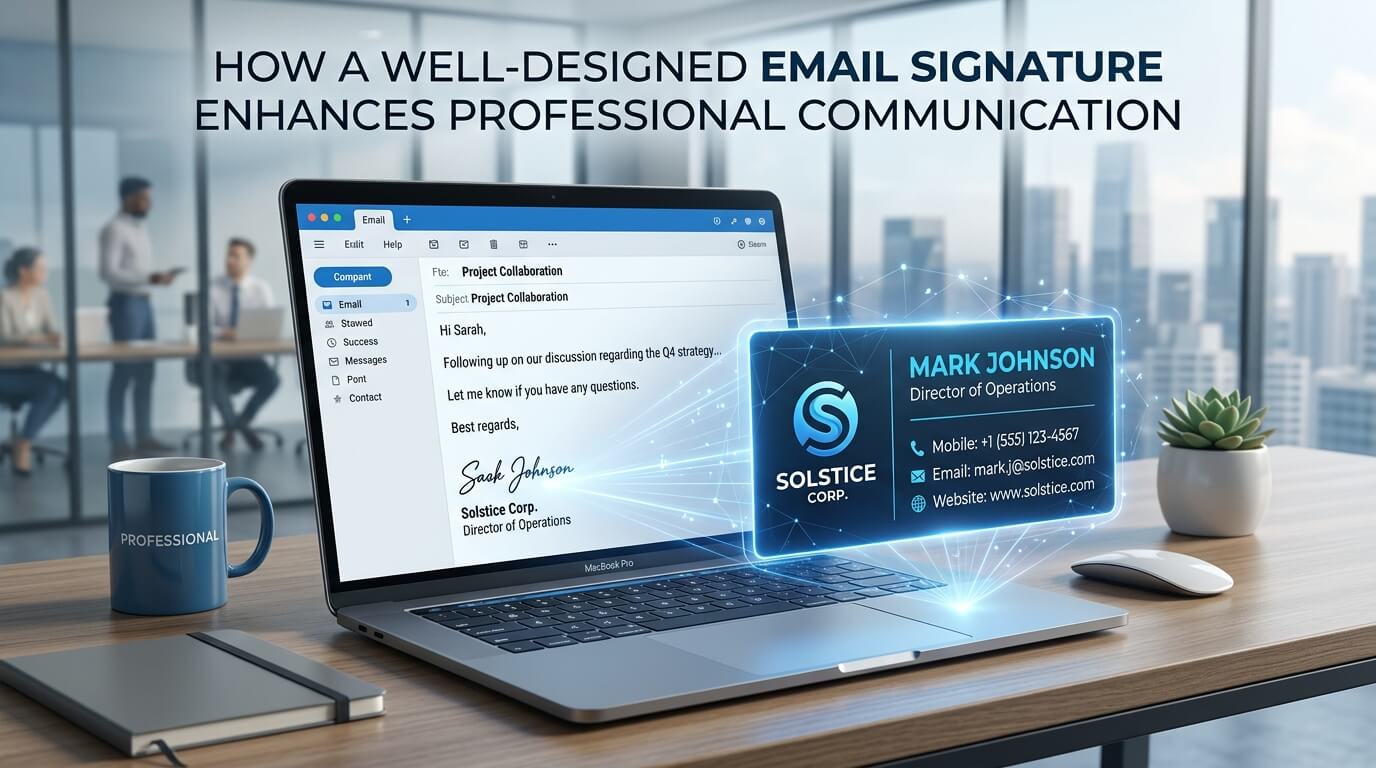
Email has become one of the most important forms of professional communication. Whether a business is communicating with customers, partners, suppliers, employees, or potential clients, every message contributes to the way the organization is perceived. While much attention is usually given to the subject line, wording, formatting, and tone of an email, one small element is often overlooked: the email signature.
An email signature may appear at the very bottom of a message, but its role can extend far beyond simply displaying a sender’s name. A thoughtfully designed signature can reinforce professional credibility, provide essential contact information, strengthen brand recognition, make communication more convenient, and even encourage recipients to take meaningful action. Microsoft specifically recommends keeping professional email signatures simple, short, and professional, while noting that branded signatures can contribute to credibility and trustworthiness.
In modern business communication, where professionals may exchange dozens of emails every day, consistency matters. A well-designed signature ensures that recipients know who they are communicating with, what that person does, which organization they represent, and how they can get in touch through another channel. It can also create a consistent visual identity across an entire organization.
What Is an Email Signature?
An email signature is a block of information automatically or manually placed at the end of an email. It commonly contains the sender’s full name, job title, company name, telephone number, website, and other relevant contact details. Depending on the professional role and business requirements, it may also contain a company logo, social media links, booking links, a professional photograph, or a short call to action.
A modern email signature can be thought of as a digital business card. Instead of requiring someone to search through a website or previous correspondence for contact information, the signature presents important details immediately. HubSpot describes a professional signature as a compact digital business card that can provide contact details, social profiles, websites, and other useful information.
However, the value of an email signature depends heavily on how it is designed. A signature containing excessive information, multiple fonts, distracting colors, enormous images, or irrelevant quotations can make an otherwise professional email appear cluttered. The objective is not to make the signature visually impressive for its own sake. The objective is to make communication easier while reinforcing professionalism.
Why Email Signatures Matter in Professional Communication
Professional communication is built on clarity, consistency, credibility, and accessibility. A good email signature supports all four.
Every email interaction represents a small opportunity to reinforce a professional identity. When a recipient repeatedly sees the same name, position, company branding, telephone number, and website, the information becomes easier to recognize and remember. This consistency can be particularly valuable for businesses where employees communicate with the same clients over long periods.
Microsoft recommends using professional signatures that remain simple and short rather than allowing graphics and unnecessary design elements to distract from the message.
A signature also provides useful context. Someone receiving an email from “Sarah” may not immediately know which Sarah they are communicating with. A signature showing “Sarah Ahmed, Marketing Manager, ABC Consulting” instantly establishes identity and professional role.
That seemingly small amount of information can eliminate confusion and make business correspondence feel more organized.
A Well-Designed Signature Creates a Stronger First Impression
Professionalism Begins With the Details
People often form impressions from small details. An email with a clear structure, appropriate tone, accurate grammar, and professional signature can feel considerably more credible than an email that ends abruptly with only a first name.
The signature is particularly important when contacting someone for the first time. The recipient may know very little about the sender. Including a complete name, professional position, company affiliation, and relevant contact information gives the recipient immediate context.
This does not mean a signature needs to be elaborate. In fact, simplicity can communicate confidence. A clean design with appropriate spacing, readable typography, and restrained branding can suggest that the sender pays attention to details.
Consistency Strengthens Professional Identity
A professional signature should complement the rest of the organization’s visual identity. The same logo, typography style, colors, and terminology used on a company’s website, stationery, presentations, and other communications can be reflected subtly in email signatures.
This creates continuity. Instead of every email looking like an isolated communication, messages become part of a recognizable brand experience.
Microsoft recommends creating branded signatures that can be shared across a business so employees maintain a consistent professional appearance in customer communications.
An Email Signature Makes Contact Information Easier to Find
One of the most practical advantages of an email signature is convenience.
Imagine that a client wants to call a salesperson after reading an email. Without a telephone number in the signature, the client may need to search through an old message, visit the company’s website, or ask the sender for the number. Each additional step creates friction.
A well-designed signature removes that friction.
The recipient can see the sender’s telephone number, website, office information, or other relevant contact options immediately. If those details are clickable, the process becomes even easier. A telephone number can be configured for mobile users to tap, while a website address can take the recipient directly to the relevant online destination.
This is especially important for sales professionals, consultants, freelancers, recruiters, customer service representatives, and business owners whose communication frequently leads to additional conversations.
It Reinforces Brand Recognition
Every Email Can Support Brand Visibility
Companies invest significant time and money in creating recognizable brands. Logos, colors, typography, messaging, and visual standards are designed to make an organization memorable.
Email signatures provide another opportunity to reinforce that identity.
Consider a company whose employees send hundreds of emails every week. If every employee uses a consistent signature containing the company logo and brand styling, the organization receives repeated exposure throughout normal business communication.
The signature does not need to become an advertisement. Its primary purpose should remain professional identification. However, subtle branding can help recipients associate the communication with the organization.
Consistent Signatures Build a Unified Image
Inconsistent signatures can have the opposite effect. If one employee uses a large logo, another uses a different company name, another includes outdated contact details, and another has no signature at all, the organization can appear disorganized.
A standardized signature template solves much of this problem.
Companies can establish a central format while allowing employees to personalize appropriate information such as their name, job title, telephone number, and professional links. Microsoft 365 also supports organization-wide signatures and disclaimers, allowing businesses to apply consistent information across outgoing communications.
It Helps Establish Trust and Credibility
Trust is essential in professional relationships. People are more comfortable communicating with businesses when they can clearly understand who is contacting them and how the organization can be reached.
An email signature contributes to that transparency.
A recipient can see the sender’s full name, position, company, telephone number, website, and potentially professional profile. These details help establish that the sender is a real person representing an identifiable organization.
For businesses that depend heavily on remote communication, this can be particularly valuable. When meetings happen through email rather than face-to-face interaction, visual and contextual signals become more important.
A professional signature cannot guarantee trust, of course, but it can support the overall credibility created by the email’s content, domain, language, and business presentation.
Microsoft notes that professional branded signatures can help businesses communicate credibility and trustworthiness.
It Makes Emails More Convenient for Mobile Recipients
Email is no longer limited to desktop computers. Professionals frequently read messages on smartphones and tablets, which means signatures must work across different screen sizes.
A signature that looks attractive on a large monitor can become difficult to read on a small screen if it contains oversized graphics, excessive columns, or tiny text.
Mobile-friendly design therefore matters.
The most important information should remain easy to identify without excessive scrolling or zooming. Contact information should be readable, links should be accessible, and images should not overwhelm the screen.
Current email-signature guidance emphasizes testing signatures across desktop and mobile email clients and using formatting that remains easy to interact with on smaller screens.
Key Elements of an Effective Email Signature
The ideal signature varies according to the person’s role and industry, but certain elements are consistently useful.
| Signature Element | Professional Purpose | Design Consideration |
| Full Name | Identifies the sender clearly | Make it visually prominent |
| Job Title | Explains the sender’s role | Keep it concise and accurate |
| Company Name | Establishes organizational affiliation | Match official branding |
| Phone Number | Provides an alternative contact method | Make it easy to read and tap |
| Website | Gives recipients access to more information | Use a clear clickable link |
| Logo | Reinforces brand recognition | Keep it appropriately sized |
| Professional Social Link | Supports professional networking | Include only relevant profiles |
| Call to Action | Encourages a specific next step | Keep it short and useful |
| Legal Disclaimer | Supports regulatory or company requirements | Include only when necessary |
The most important principle is relevance. Not every employee needs every possible element. A lawyer may require a legal disclaimer, while a salesperson may benefit from a meeting link. A creative professional may benefit from a portfolio link, while an executive may prefer a highly minimal format.
The Importance of Visual Hierarchy
Make the Most Important Information Stand Out
A signature should be easy to scan. The recipient should immediately identify the sender’s name before moving to the job title, company, and contact information.
This is where visual hierarchy becomes important.
The name can be slightly larger or bolder than the surrounding information. The job title can appear beneath it in a smaller size, followed by contact details. A logo or subtle dividing line can help separate the signature from the email body without creating unnecessary visual noise.
Good hierarchy allows the recipient’s eyes to move naturally through the information.
Avoid Excessive Design
Design does not automatically make a signature better. Too many colors, decorative fonts, icons, borders, graphics, and large images can make a signature difficult to read.
Professional email guidance generally favors simple layouts and standard fonts because they are more likely to display consistently across email platforms.
A restrained design also has a practical advantage: it keeps attention on the actual email.
An Email Signature Can Support Marketing Without Feeling Like an Advertisement
A signature can serve a secondary marketing function when used carefully.
For example, a company might include a link to a recently published report, an upcoming event, a useful resource, a portfolio, or a booking page. This gives recipients an opportunity to explore the organization further without interrupting the primary purpose of the email.
The key is subtlety.
A signature should not become a miniature promotional flyer attached to every message. If the email is about a contract, for example, a giant promotional banner can feel inappropriate. A small, relevant call to action is usually more effective.
A professional signature can therefore function as a quiet marketing channel. Because it appears naturally within routine correspondence, it can create additional opportunities for engagement without requiring a separate promotional email.
It Improves Communication Across Teams
Email signatures are not only valuable for external communication. They can also make internal communication more organized.
In large organizations, employees may communicate with colleagues they have never met personally. A signature that includes a department and job title helps recipients understand the sender’s role.
For example, “David Khan, Senior Procurement Manager” provides considerably more context than simply “David.”
This becomes especially useful in large companies, remote teams, international organizations, and businesses where employees work across different departments.
Consistent signatures can also help external contacts identify different members of a team and understand whom to contact for particular issues.
Personalization Can Make Professional Communication More Human
Although consistency is important, professionalism does not require communication to feel impersonal.
A professional photograph can sometimes make an email signature more approachable, particularly for client-facing professionals. A consultant, recruiter, real estate professional, or business coach may benefit from including a small professional headshot because the recipient can more easily connect a name with a person.
Professional social links can also provide another way for recipients to learn about the sender’s expertise.
However, personalization should serve a purpose. Every additional element should answer a simple question: Does this help the recipient understand, trust, or contact me?
If the answer is no, it may not belong in the signature.
Email Signatures Should Reflect Different Professional Situations
Internal and External Emails
A business may choose to use different signatures for internal and external communication.
Internal emails might require only a name, department, and job title, while external messages may include the company website, telephone number, logo, and relevant disclaimer.
Modern email platforms can support multiple signatures for different purposes. Outlook, for example, allows users to create multiple signatures and choose whether they are used for new emails, replies, or forwards.
Different Roles Require Different Information
There is no universal signature that works perfectly for every profession.
A sales representative might benefit from a scheduling link and company website. A graphic designer might prioritize a portfolio. A lawyer may require formal firm information and disclaimers. An academic might include institutional affiliation and professional publications.
The best signature is therefore not necessarily the one with the most information. It is the one that provides the information the recipient is most likely to need.
Common Email Signature Mistakes to Avoid
One of the most common mistakes is overcrowding. When a signature contains every possible phone number, address, social platform, slogan, award, certification, quote, banner, and promotional message, the recipient may struggle to identify the information that actually matters.
Another common problem is outdated information. An old job title or disconnected telephone number can create confusion and make the organization appear careless. Signatures should be reviewed whenever an employee changes roles, contact details, departments, or company branding.
Poor formatting is another issue. Decorative fonts may not display correctly across email platforms, while large images can increase loading time or cause compatibility problems. HubSpot recommends limiting fonts and colors, testing signatures across email clients, and avoiding excessive graphics.
Long inspirational quotations can also weaken professional communication. Although a favorite quote may have personal meaning, it may not be relevant to the recipient or business context.
Finally, broken links should never be overlooked. A signature that contains a website or social media link should be checked periodically to ensure that every destination works correctly.
How to Create a Signature That Communicates Effectively
Start by identifying the information recipients genuinely need. In most cases, this includes the sender’s full name, position, company, and one or two convenient contact methods.
Next, establish a simple visual hierarchy. Make the name prominent, place professional information underneath it, and separate contact details using spacing or subtle visual elements.
The design should match the organization’s branding without overwhelming the message. Use consistent colors, readable fonts, and an appropriately sized logo if one is required.
The signature should then be tested. Send test emails to different accounts and view them on desktop and mobile devices. Check whether the logo loads correctly, whether the links work, whether the text remains readable, and whether the layout breaks when viewed on smaller screens.
Finally, establish a process for keeping signatures updated. A signature is only useful when its information remains accurate.
The Long-Term Value of Professional Email Signatures
The greatest advantage of a well-designed email signature is that it works continuously. Unlike a brochure, advertisement, or social media post that must be deliberately distributed, an email signature can appear automatically in routine communication.
That means every appropriate business email can reinforce professional identity, provide contact information, support brand recognition, and create another pathway for engagement.
The individual impact of one signature may seem small. However, when multiplied across hundreds or thousands of messages, consistency becomes much more meaningful.
A well-designed signature essentially turns an ordinary ending into a useful communication asset.
Conclusion
A professional email signature is much more than a name placed beneath an email. When designed thoughtfully, it can strengthen credibility, improve clarity, make contact information easier to access, reinforce brand identity, and create a more consistent communication experience.
The most effective signatures are not necessarily the most elaborate. They are clear, relevant, readable, mobile-friendly, and aligned with the professional identity of the sender and organization. By combining useful information with thoughtful design, businesses can turn one of the smallest elements of an email into a meaningful part of their overall communication strategy.
Frequently Asked Questions
Q1. What should a professional email signature include?
A professional email signature should generally include your full name, job title, company name, and relevant contact information. Depending on your role, you can also include a website, professional social profile, logo, booking link, or required disclaimer.
Q2. How long should an email signature be?
An email signature should be concise enough that it does not overpower the main email. Keeping it to a few lines of essential information generally creates a cleaner and easier-to-read result.
Q3. Should a business include its logo in an email signature?
A company logo can reinforce brand recognition, provided it is appropriately sized and does not interfere with readability or loading performance.
Q4. Are email signatures useful for marketing?
Yes. A carefully selected website link, portfolio, event, resource, or call to action can provide additional engagement opportunities without turning every email into a promotional message.
Q5. Should every employee use the same email signature?
Businesses generally benefit from maintaining a consistent signature structure and branding across employees. Individual details such as names, titles, phone numbers, and departments can then be customized while preserving the organization’s overall professional identity.